
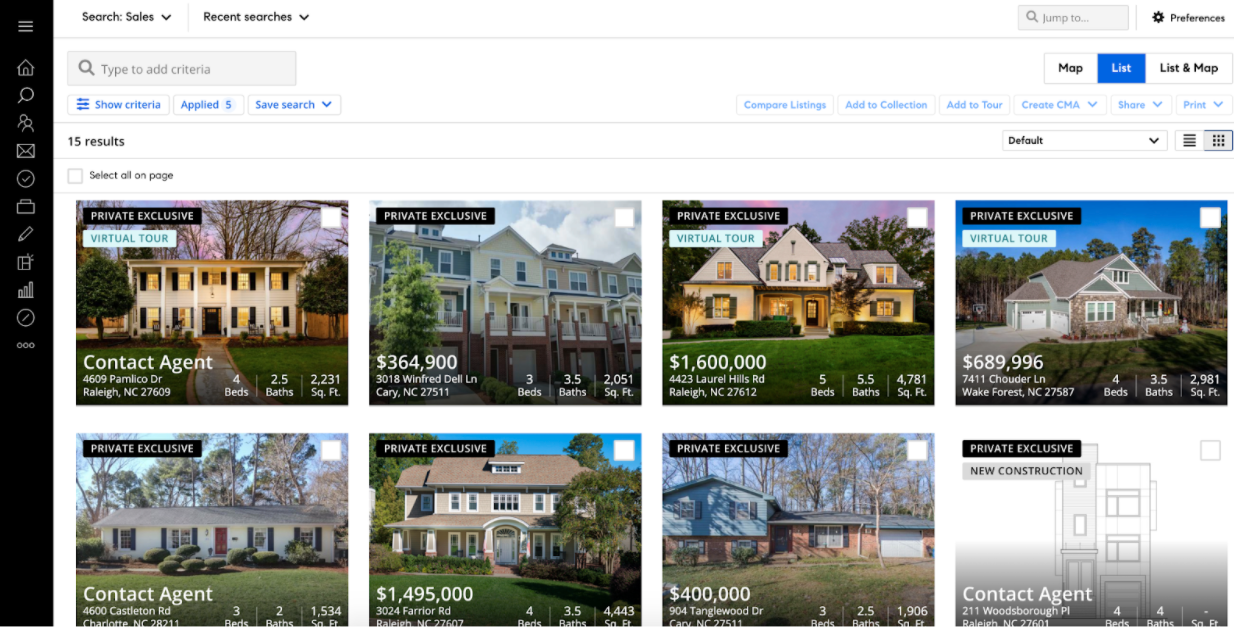
Finding Private Exclusives on Compass.com
Private Exclusives on Compass.com allow our agents to share upcoming listings with one another before going into the MLS. Inventory is tight for buyers, but as a Compass agent you can share listings with your buyers that can’t be found anywhere else. Here’s how to find our exclusive inventory:
Navigate to Search on Compass.com by clicking here
Click the checkbox in the upper left that says “Only show 'Only on Compass' Listings”
Click View Listings to see all Compass exclusive listings in your region
If you’d like to be alerted via email of any new Private Exclusives, click Save Search and select “Saved Search (for yourself)”. Name your search and set the notification cadence to Immediately, Daily or Weekly to determine how often you will receive email alerts about new exclusive listings.
Note: you may already have a Saved Search in your account and are receiving new listing alerts, in which case you don’t need to save a new search.
Adjust the search criteria to narrow down the results
If you’d like to list your upcoming listing as a Private Exclusive before going to the MLS, follow this link to learn how to use the listing editor on Compass.com.